Write it. Peel it.
Plan it.
A visual organization system built on sticky notes. Capture a thought, drop it onto a board, share it as a link. Nine starter templates included.
Already have an account? Sign in
Works offline
Capture anywhere — no wifi needed.
No card required
The full app is free on Mac and the web.
Mac + Browser
Same notes across both, on Pro.
7-day refund
Try Pro risk-free on any plan.
Who it's for
For people who think visually.
Coaches + consultants
Client journey maps, project engagements, retrospective decks. Build the visual, send a public link, get paid.
Creators + course makers
Outline a draft, plan a curriculum, sketch a mood board. Visual thinking for the work that lives in your head.
Founders + marketers
Launch arcs, content calendars, sprint retros, brand brainstorms. Project planning that fits the way you think.
How it works
One gesture. Thought captured.
Type a note. Drag to peel it off. It's saved instantly — no save button, no folder to navigate. The peel is the action.
The workflow
From a pile
to a plan.
Notes stack up in your library — meetings, ideas, half-thoughts. When it's time to make sense of them, drop the ones that matter onto a board and arrange the picture.
Customization
Your notes. Your look.
Note colors, background gradients, ink colors, and a font set that runs from handwritten to clean sans serif. Pick a look that disappears into your workspace — or one that makes the board feel like a desk.
Board view
New in v2See the whole picture.
A canvas for your stickies. Arrange, connect, and group ideas the way you actually think about them.
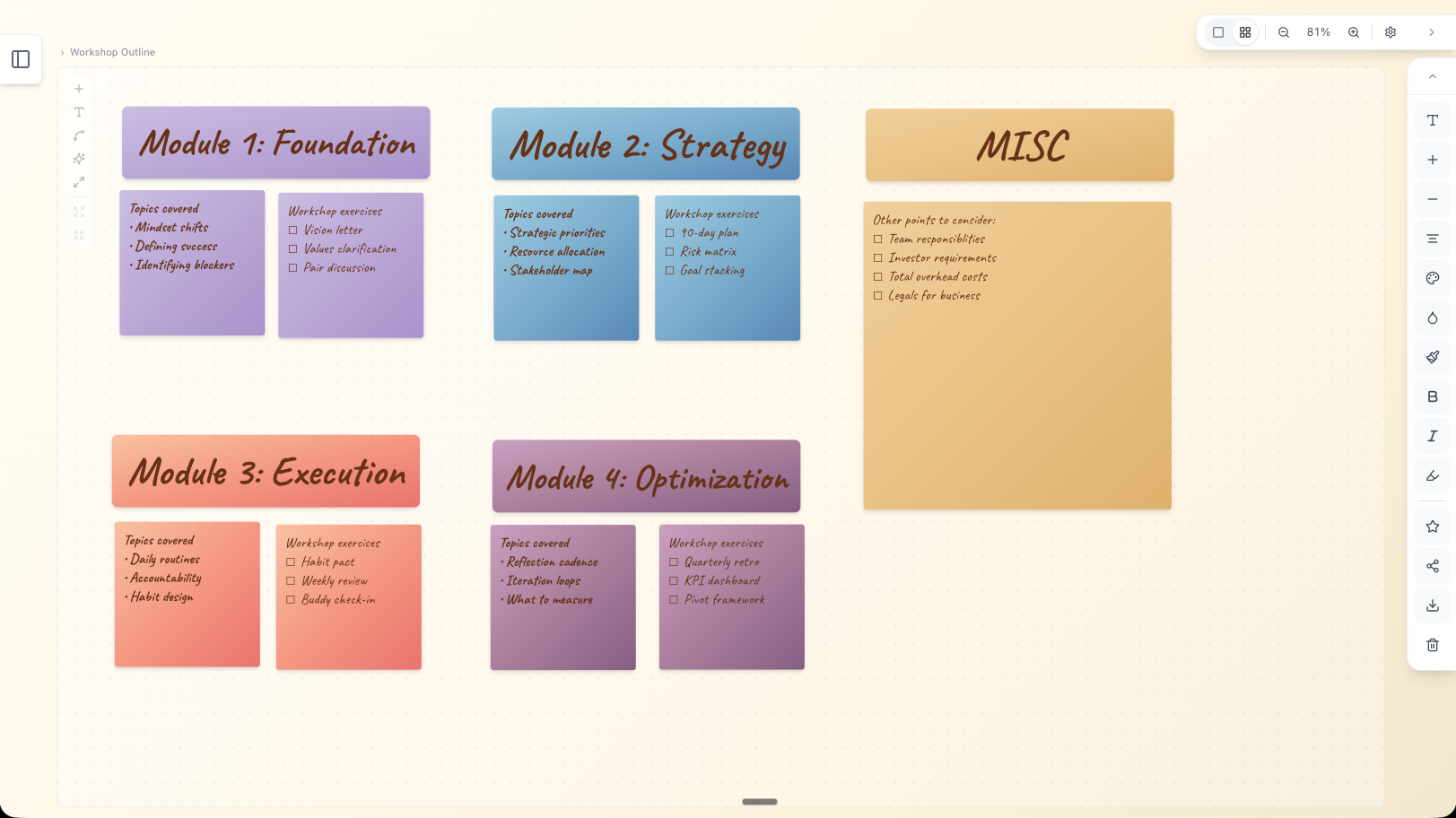
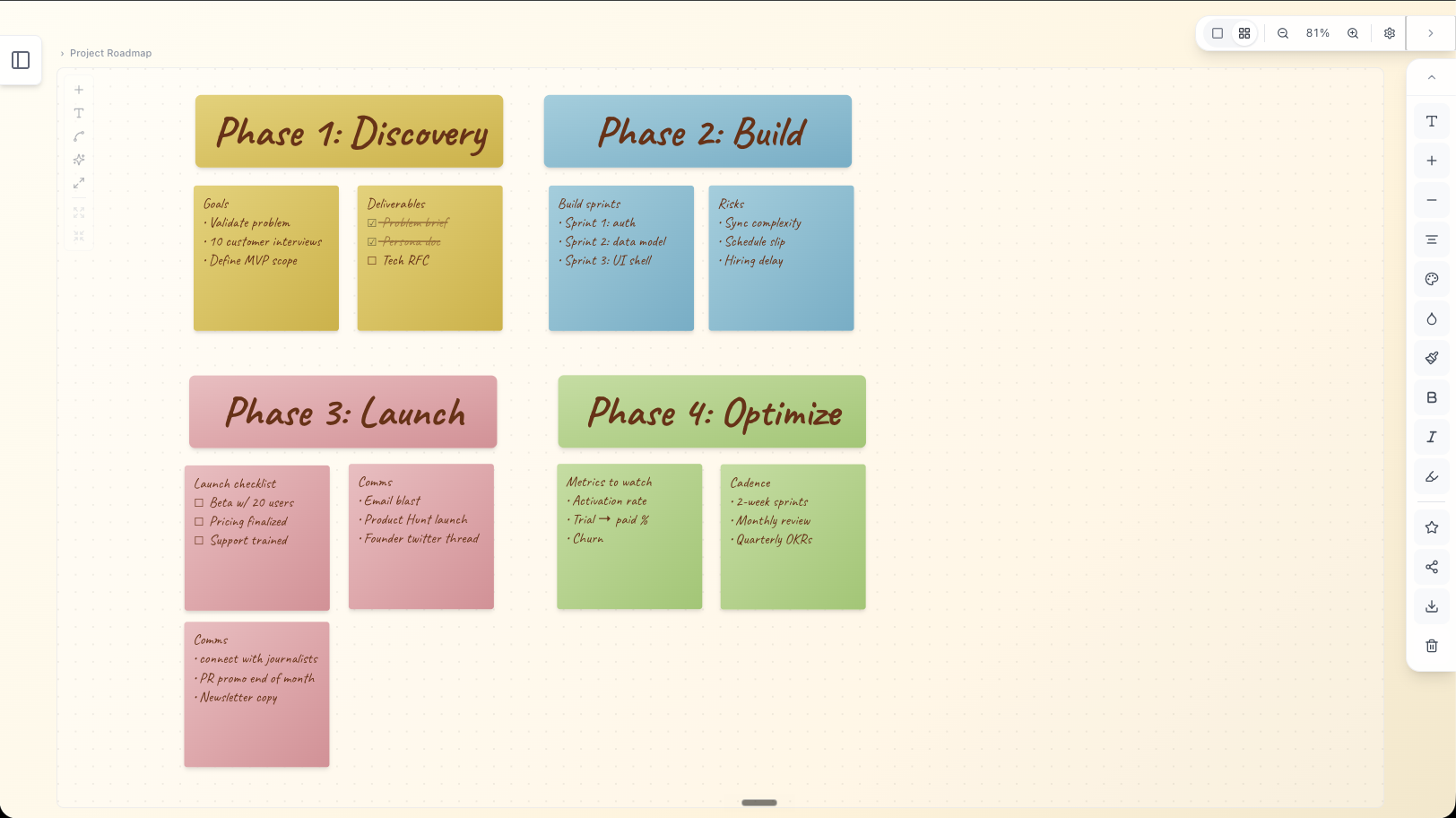
Templates
Start from a template, not a blank canvas.
Nine starter boards included. Pick one, the notes and structure are already there — you just fill it in.
Project Plan
Kanban-style: Backlog → In Progress → Review → Done.
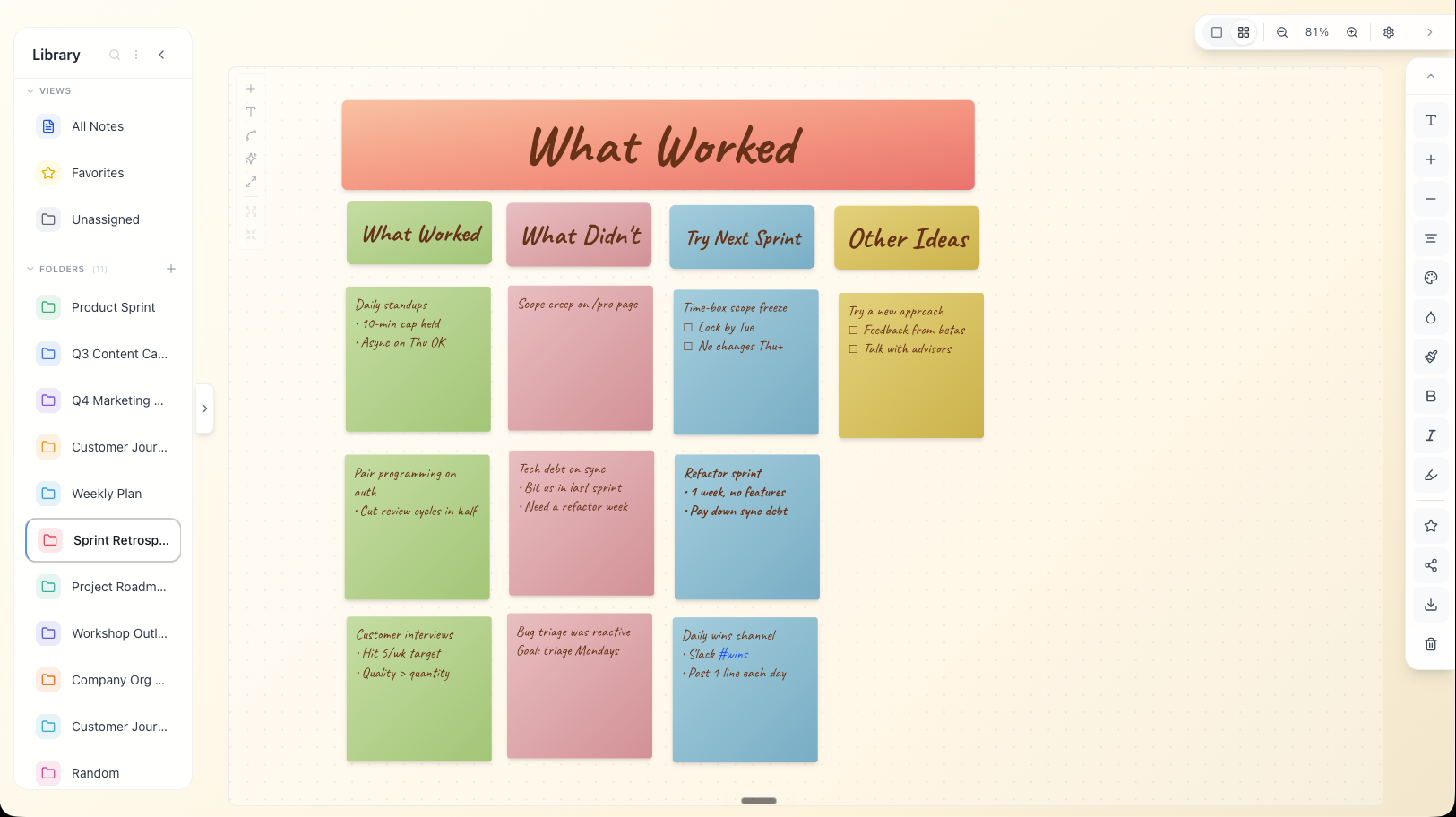
Sprint Retrospective
Three columns: What worked, What didn't, Try next.
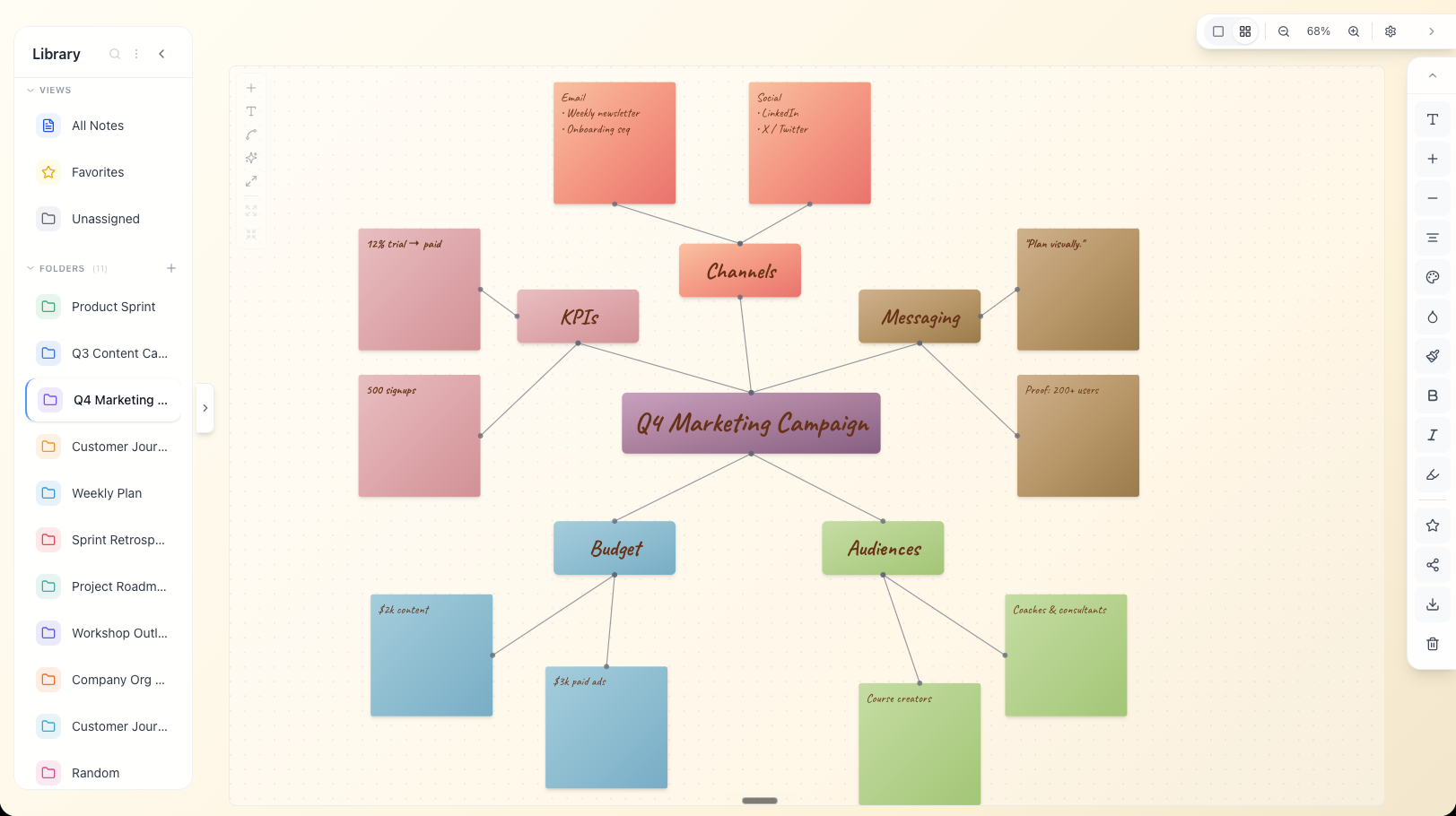
Mind Map
Central idea + four connected branches. Add freely.
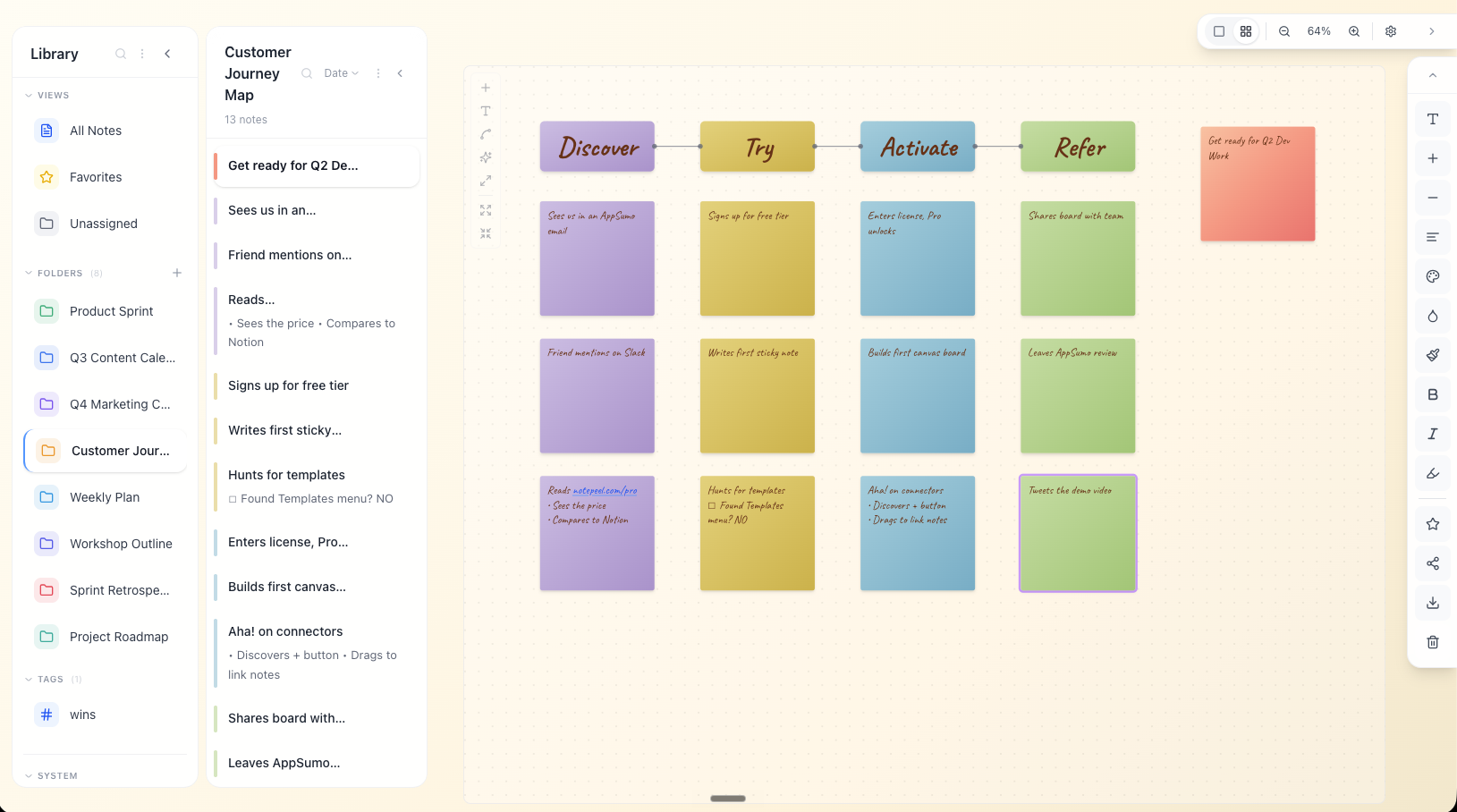
Story Map
Five-beat narrative arc — drop your characters and plot points underneath.
Workshop Outline
Modules across, talking points down. Great for courses and talks.
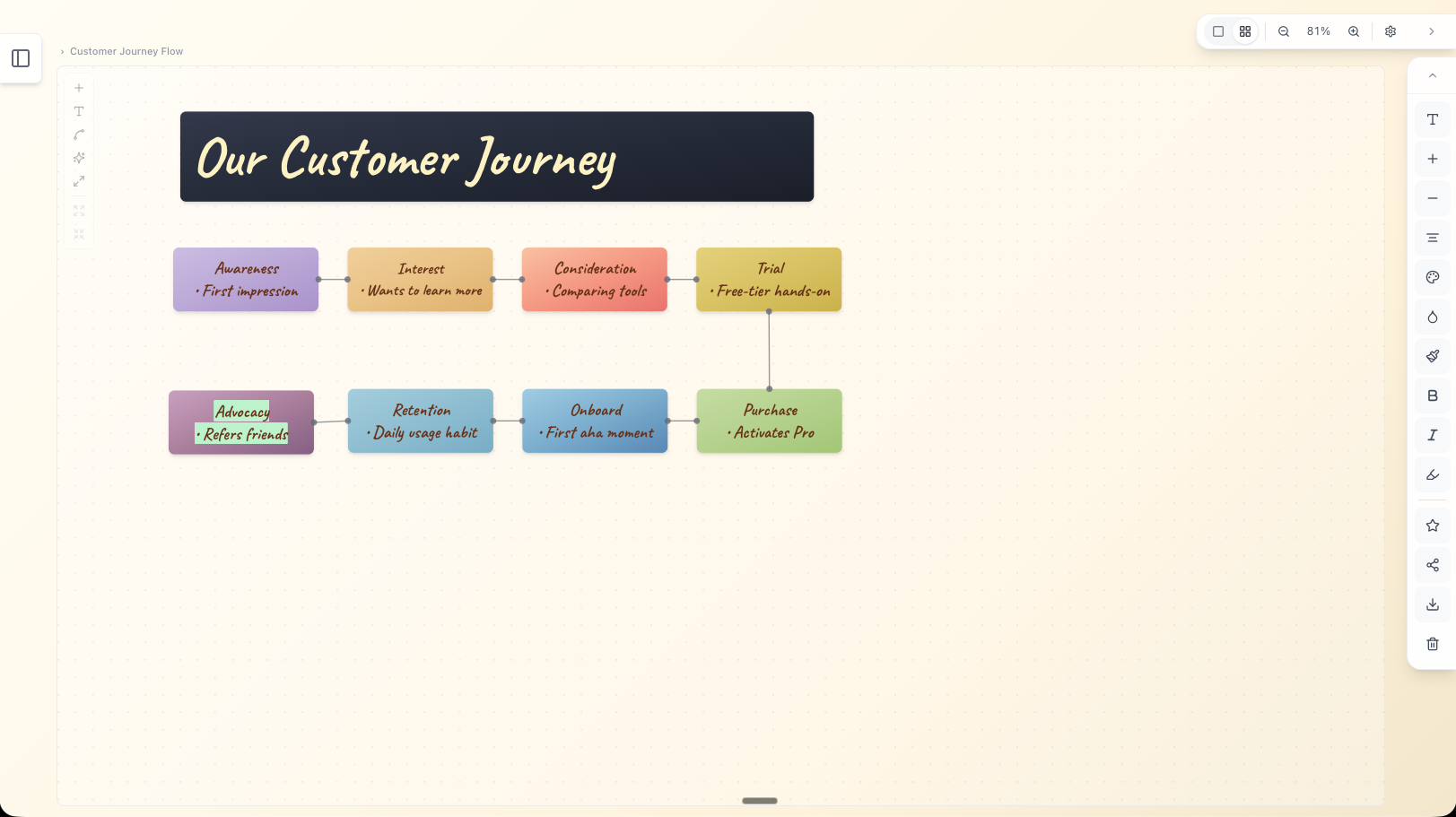
Customer Journey
Awareness → Interest → Consideration → Trial → Purchase → Retention.
Share
Send your board as a link.
Publish any board as a read-only URL. Drop it in Slack, send it to a client, embed it in a doc — anyone with the link can see what you built. No account required on their end.
- ·Coaches sending journey maps to clients
- ·Consultants sharing project plans
- ·Designers showing mood boards to stakeholders
- ·Writers handing off story arcs
- ·Marketers walking teams through a campaign
And more
Small details. Big difference.
The touches you notice in week one — and the ones you keep using in month six.
Global hotkey
Capture from anywhere. ⌘⇧N on Mac (Ctrl⇧N elsewhere) opens a fresh note no matter what app you're in — the thought is on the page before you've broken flow.
Global hotkey
Capture from anywhere. ⌘⇧N on Mac (Ctrl⇧N elsewhere) opens a fresh note no matter what app you're in — the thought is on the page before you've broken flow.
Where it fits
Between a list and a document.
Apple Notes
Great for a quick list. Falls apart once ideas connect.
Notion
Great for a finished doc. Heavy for raw thinking.
Heptabase
Powerful, but a steep learning curve and a power-user price.
Miro / Whimsical
Built for teams in meetings. Overkill for one person thinking.
NotePeel
A canvas of stickies. The space in between.
Pricing
Make it yours.
The core app is free. Pro adds Cloud Sync, share-ready PNG exports, and the full customization library.
Free
ForeverThe full app, no timer.
- Desktop + browser app
- Unlimited notes, folders, and boards
- Full board canvas — lines, headlines, grid
- Slash commands, highlights, formatting
- 4 note colors, 8 fonts
- .txt export
Pro
RecommendedMost users pick yearly
Cancel anytime
- Everything in Free, unlocked
- Cloud Sync across devices
- Share-ready PNG export (decks, social, embeds)
- Premium color palette — 15+ note colors
- Premium font library — handwritten, sans serif, serif
- Gradient backgrounds + extra ink colors
7-day refund · no questions
Secure checkout via Stripe · 7-day refund on any plan · License works on every device
Upgrade anytime from Settings → Account → Activate Pro.
FAQ
Frequently asked questions
The core app is free on desktop and browser — unlimited notes, folders, boards, the full board canvas, plus .txt export. Pro is $6/month, $48/year, or $149 once (lifetime) — and unlocks Cloud Sync across devices, share-ready PNG export, the premium color palette (15+ note colors), the full font library (handwritten + sans serif + serif), and gradient backgrounds.
Have more questions? View the full FAQ